Your website may have lots of blog posts but still lack a clear focus. Readers need more than facts spread across pages. They need answers they can trust.
Topical authority is a website’s reputation for sharing useful, trusted knowledge on a specific subject. In search engine optimization (SEO), the goal is to build a strong set of resources that meet your readers’ needs.
Think of a gardening site. One post on growing food covers a small part of the topic. Clear guides on soil, seeds, pests, and watering help readers more. Each guide should answer a real question and link to useful next steps.
To build topical authority, choose a clear focus, learn what your readers need, and share what you know. Use sound sources, add real examples, and keep your facts up to date. This aligns with Google’s guidance for creating helpful, reliable, people-first content.
This guide explains how to plan your topics, connect your pages, and track your progress.
What Does Topical Authority Mean in SEO?
Topical authority in SEO means being known as a trusted source on a clear subject. Your content should help readers learn, solve problems, and make sound choices.
A website builds content authority through useful answers and clear proof of knowledge. Using related words alone does not show subject matter expertise. Readers also need sound facts, clear sources, and helpful advice.
A Simple Example of Topical Authority
Think of two websites:
- Site A has one short post about growing tomatoes.
- Site B has clear guides on tomato seeds, soil, watering, pests, and harvest times.
Site B gives readers more ways to solve their problems. If its advice is sound and based on real knowledge, it can become a trusted resource. This is the goal of niche authority.
Still, more pages do not always mean better content. Each page should serve a clear need.
Is Topical Authority a Google Ranking Factor?
The broad SEO term topical authority does not describe one public Google score.
Google does have a system called topic authority for news searches. It helps Google find expert sources for news on subjects such as health, politics, and finance. This system differs from the broader idea of topic-based SEO.
For your website, focus on building website credibility through useful, accurate work. Google’s guidance asks creators to show clear sources, relevant experience, and evidence of expertise.
Why Does Topical Authority Matter?
A clear topic focus helps you plan content that serves your readers. Each page has a purpose, and related guides help people take the next step.
For example, someone who reads about garden soil may next need help with seeds. A useful link can guide them to that answer.
Here is why topical authority matters for your content plan:
- Clear focus: You can choose topics that fit your audience and your skills.
- Better answers: Related guides can address questions that one page cannot fully cover.
- Stronger trust: Sound facts and real examples give readers reasons to trust your advice.
- Useful paths: Links between pages help readers find more help.
The link between topical authority and search rankings needs care. A strong content plan can support SEO, but it does not guarantee high rankings.
How It Relates to Helpful Content and E-E-A-T
Topical authority and E-E-A-T share a focus on credible information. E-E-A-T stands for:
| Quality | What it means for your content |
| Experience | Show what you have done or learned firsthand. |
| Expertise | Use the knowledge needed to explain the subject well. |
| Authoritativeness | Build a reputation as a trusted source. |
| Trustworthiness | Share honest, accurate facts with clear sources. |
Google says E-E-A-T itself is not a specific ranking factor. Its systems use a mix of signals to find content with these qualities. Trust is the most important part.
These qualities deserve extra care for Your Money or Your Life (YMYL) topics. These include subjects that can affect health, finances, or safety. Google places greater weight on strong E-E-A-T for such content.
Topical Authority vs. Domain Authority: What Is the Difference?

Topical authority describes a site’s trusted knowledge of a subject. Domain Authority (DA) is a Moz score that predicts how well a website may rank in search results. They serve different purposes.
A site can have strong links from other websites but still give weak advice on a certain topic. A score alone cannot prove that its authors know the subject.
Here is how these common terms compare:
| Term | What it means | What it helps you assess |
| Topical authority | A reputation for useful, trusted knowledge on a subject | The strength of your topic coverage and expertise |
| Domain Authority | Moz’s estimate of a whole website’s ranking potential | How sites compare within Moz’s model |
| Page Authority | Moz’s estimate of one page’s ranking potential | How individual pages compare within Moz’s model |
| Topical relevance | How closely content relates to a subject | Whether a page fits the topic |
| E-E-A-T | Experience, expertise, authoritativeness, and trustworthiness | Qualities that help make content credible |
Moz distinguishes its site-level Domain Authority metric from its page-level Page Authority metric. Neither score measures the full depth of your knowledge on a subject.
Topical Authority vs. Topical Relevance
A page about tomato soil has topical relevance to growing tomatoes. That connection alone does not make the website a trusted gardening source.
Trust needs more support. Clear advice, sound facts, real experience, and useful sources can give readers reasons to rely on your content. These qualities fit Google’s guidance on helpful content.
Use scores to support research. Build your content plan around what readers need and what you can explain well.
How Do You Build Topical Authority? An Eight-Step Process
A topical authority strategy starts with a clear subject and a plan to help your readers. These eight steps turn that goal into useful work.
Step 1: Choose a Focused Topic You Can Credibly Cover
Start with a subject that fits your business and skills. Then narrow it to match your audience’s needs.
For example, “gardening” is broad. “Growing vegetables in small spaces” gives a new site a clearer focus.
When identifying core topics, ask:
- What do we know from real work or study?
- Who needs our help?
- Which problems can we explain well?
- How does this subject support our business?
Set clear limits. You do not need to cover every related subject at once.
Step 2: Research Your Audience’s Questions and Search Intent
Use audience research for SEO to learn what people need. Start with customer emails, sales calls, reviews, and support requests.
Turn customer questions into blog topics. Then use topical keyword research to find more ways people search for help.
Useful research tools include:
- Google Search Console: Find queries that already bring people to your site.
- Google Keyword Planner: Explore related search terms.
- Google Trends: Check how interest changes over time.
- Ahrefs or Semrush: Research keywords and competing pages.
Use search intent analysis to understand each query’s purpose. Someone asking “what is compost?” has informational search intent. Someone comparing compost bins may need help choosing a product.
Combine question-based keywords with long-tail keyword research to find specific needs. Treat SERP analysis for content planning as research into what readers expect, rather than a reason to copy other pages.
Step 3: Audit Existing Content and Find Gaps
Run a content audit before you write more posts. List each relevant page, its purpose, and the question it answers.
Use competitor content analysis to spot useful questions you may have missed. Your content gap analysis should also include needs found through customer research.
For each page, choose an action:
| Action | When it makes sense |
| Keep | The page is accurate and useful |
| Improve | The answer needs more detail or proof |
| Combine | Several pages serve the same need |
| Create | A useful answer is missing |
A topical coverage analysis can reveal gaps. It should not become a race to match every page a rival has.
Step 4: Create a Topical Map and Content Clusters
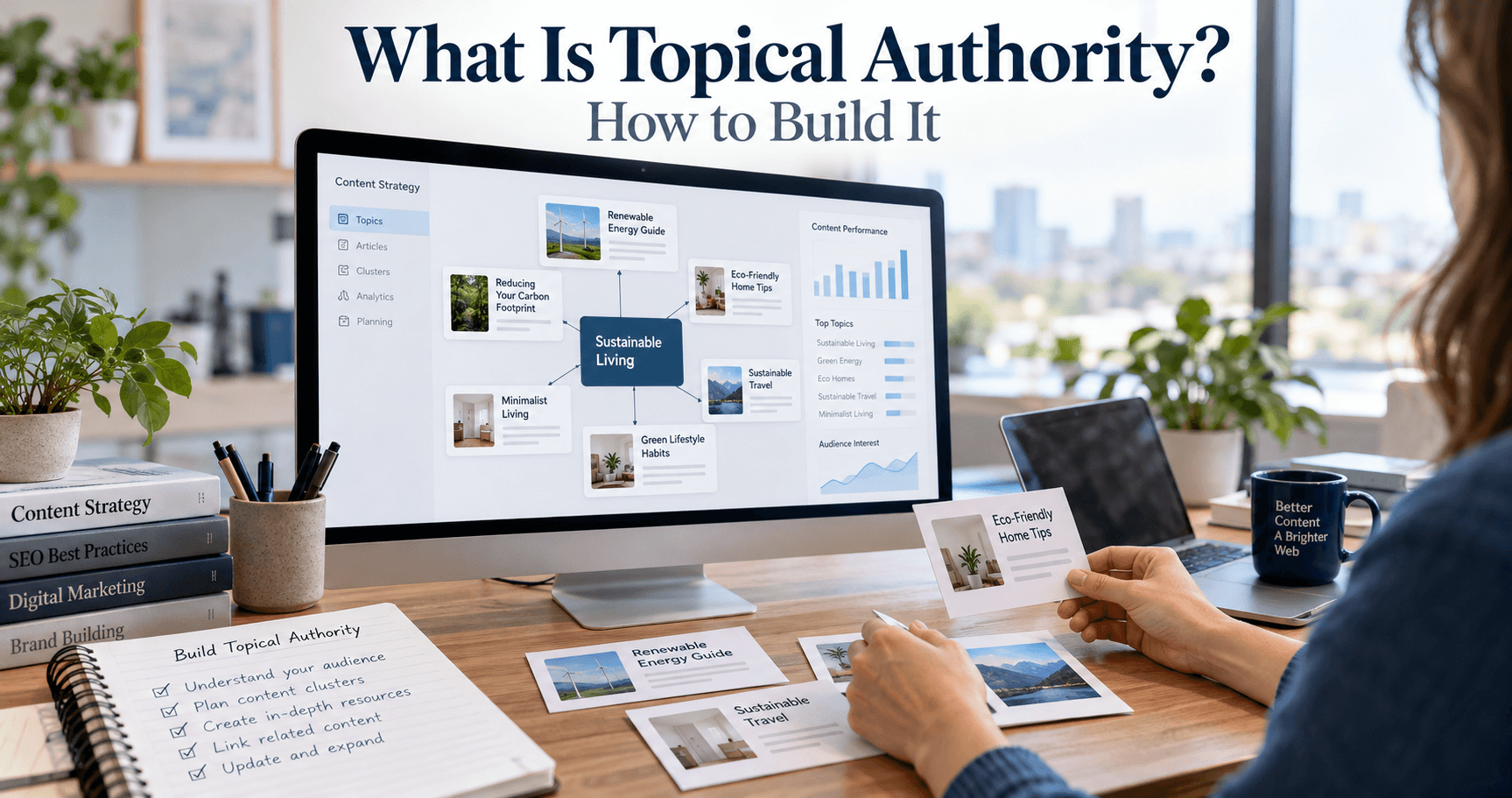
A topical map shows your main subject, its subtopics, and their links.
Start by finding relevant subtopics. Use keyword clustering to group searches with similar needs. Then use keyword mapping to pages to give each planned page a clear job.
A simple topic cluster strategy includes:
- A pillar page that explains the broad subject.
- Supporting content pages that answer specific questions.
- Useful links that connect those resources.
This hub-and-spoke content model can help shape your content hub architecture. Keep the website information architecture easy to follow.
When prioritizing content topics, start with important customer needs and gaps in your current guides.
Step 5: Publish Content That Shows Real Knowledge
Good, helpful content creation starts with a clear answer. Add the detail readers need to use it.
Support your advice with:
- Firsthand experience, such as lessons from real work.
- Original SEO research, with useful data.
- Expert-reviewed content for topics that need specialist knowledge.
- Clear author expertise and credentials.
- Reliable sources and practical examples.
Balance content depth and breadth. One page should cover its own task well. Other pages can explain related tasks.
Google encourages original information, clear sourcing, and evidence of expertise. It also warns against writing to a supposed preferred word count.
Step 6: Connect Related Pages With Useful Internal Links
Build an internal linking strategy around the reader’s next question.
Use contextual internal links where another page adds useful help. Choose descriptive anchor text, such as “how to test garden soil,” so readers know what to expect.
An internal link audit can help with fixing orphan pages. Tools such as Screaming Frog SEO Spider can support this work.
Google recommends crawlable links and clear link text. These help people and search engines find and understand your pages.
Step 7: Earn Relevant Links and Industry Recognition
Create resources that others have a reason to share. Link-worthy content assets might include research, templates, tools, or detailed guides.
Earning editorial links and relevant backlinks starts with useful work. Share it with people who serve a similar audience.
Digital PR for niche websites can include sharing research with journalists or offering informed comments. Focus on building brand reputation through real contributions.
Step 8: Update, Refine, and Expand Your Coverage
Maintaining topical authority means caring for what you publish.
Use an editorial content calendar to schedule new work and reviews. Make content accuracy and fact-checking part of each review.
When updating outdated blog posts, fix old facts, broken links, and weak answers. Improve useful pages before adding more. Expand your coverage when you can support the new topics with sound knowledge.
What Does a Topical Authority Content Cluster Look Like?

A content cluster is a group of pages that cover related needs. One main guide gives an overview. Other pages explain specific tasks in more depth.
Let’s use a vegetable garden website as an example.
Start With a Pillar Page
The main guide could be “How to Start a Vegetable Garden.” It would explain the key steps, from choosing a spot to planting seeds.
It should give readers enough help to get started. Links can lead to more detailed guides when a task needs extra care.
Add Supporting Pages With Clear Purposes
These pillar page and cluster content examples show how each page can serve a different need:
| Page role | Example title | Main reader need |
| Pillar guide | How to Start a Vegetable Garden | Understand the full process |
| Supporting guide | How to Choose Soil for a Vegetable Garden | Choose and prepare soil |
| Supporting guide | When to Plant Vegetables in Your Region | Find the right planting times |
| Supporting guide | How Often Should You Water Vegetables? | Plan a watering routine |
| Supporting guide | How to Identify Common Vegetable Pests | Spot pests and assess damage |
| Comparison guide | Raised Beds vs. In-Ground Gardens | Choose a growing method |
This is an example, not a required page count. Comprehensive topic coverage means meeting real needs. It does not mean writing about every possible detail.
Link Pages Where the Connection Helps
The main guide could link to the soil article when it explains soil prep. The soil article could link to the raised-bed guide where it discusses growing options.
These links create a logical content hierarchy. They also help readers move between broad advice and detailed steps. Google recommends linking to relevant resources and using clear anchor text.
Give Each Page a Distinct Job
Avoid making three pages called “Best Garden Soil,” “Top Garden Soil,” and “Good Soil for Gardens” if they all give the same answer.
This overlap can create keyword cannibalization concerns. Review the pages’ purposes before deciding whether they need to stay separate.
Consolidating overlapping content can make a resource easier to use. Keep separate pages when each one answers a distinct question or serves a different search need.
How Can You Measure Progress?
There is no single public Google score that tells you your topical authority. Instead, track how your related pages perform and whether they help your business.
Establish a Baseline Before Making Changes
Save a record of your current results. List the pages in your topic cluster, the searches they appear for, and the visits they receive.
Also record leads, sales, or other useful actions from those pages. This gives you a starting point for tracking topic cluster performance.
Track Search Visibility Across the Cluster
Use Google Search Console content analysis to review related pages as a group. Its Performance report includes clicks, impressions, click-through rate, and average position. You can filter results by page, query, and date.
These measures can help you assess organic visibility by topic:
| Measure | What to check |
| Impressions | Are your pages appearing more often for relevant searches? |
| Clicks | Are more people visiting your related guides? |
| Relevant queries | Are your pages reaching a wider range of useful searches? |
| Average position | Are important queries showing progress over time? |
| Click-through rate | Are search appearances turning into visits? |
Review keyword coverage by topic, not just one keyword. Also track non-branded organic traffic to see how people find you without searching for your business name.
Compare similar periods. For seasonal topics, a year-over-year comparison may provide more context than the previous month.
Track Useful Outcomes Beyond Rankings
More visits do not always mean better results. Use Google Analytics 4 to review organic conversions from content, such as:
- A visitor submits a contact form.
- A reader signs up for your email list.
- A shopper buys a product.
- A prospect requests a quote.
Choose actions that fit your goals. Check that your tracking works before you rely on the figures.
You can also review relevant backlinks, expert mentions, and links earned by original research. These provide context about who finds your work useful.
Understand What the Metrics Cannot Prove
These topical authority metrics are signs of progress, not proof of a hidden score.
Traffic can change due to demand, competitors, site updates, or search changes. A higher average position also does not mean every query improved. Google reports position as an average across recorded search appearances.
When deciding how to measure topical authority, combine search data with content reviews and business results. Use what you learn to choose the next useful improvement.
How Long Does It Take to Build Topical Authority?
There is no fixed timeline for building topical authority. Publishing a set of articles does not start a countdown to better rankings.
A new website may need time to gain readers and earn trust. An established site may already have useful content, relevant links, and a known brand. Both still need a clear plan.
What Can Affect Your Progress?
Several factors shape the work involved:
- Your starting point: Existing guides may need updates rather than full rewrites.
- Topic scope: A narrow subject is easier to cover well than a broad field.
- Competition: Strong competing resources can make it harder to earn search gains.
- Content quality: Accurate advice and original examples take time to produce.
- Resources: Access to writers, experts, and editors affects your pace.
- Site access: Search engines need to find and crawl your pages.
Google notes that some site improvements can affect search results within days, while others may take several months. Changes also do not guarantee a noticeable result.
Set Work Milestones, Not Ranking Deadlines
You can set dates for tasks you control. For example, you might finish a content audit this month and improve your main guide next month.
You cannot promise when a page will rank or how much traffic it will earn.
For topical authority for new websites, start with one useful cluster. For building topical authority on a budget, improve strong existing pages and answer the most important gaps first.
Review progress at regular points. Use the results to refine your plan, rather than treating a set number of posts as proof of authority.
A Practical 90-Day Plan to Get Started

Use this plan to organize your first three months of work. It sets task deadlines, not a promise of higher rankings.
Adjust the scope to fit your team and budget. One useful, well-maintained cluster is a practical place to start.
Days 1–30: Research and Plan
Choose your main topic and define who you want to help.
Then:
- Gather customer questions and research data.
- Audit your existing pages.
- Review search results to understand reader needs.
- Group related questions into a topical map.
- Choose which pages to improve or create.
- Save your starting traffic and conversion figures.
Goal: Finish with a clear content plan. Each page should have a distinct purpose.
Days 31–60: Improve, Publish, and Connect
Work on your main guide and the most useful supporting pages.
For each page:
- Answer the main question early.
- Add clear steps, examples, and reliable sources.
- Ask an expert to review claims that need specialist knowledge.
- Use headings that help readers find answers.
- Add relevant links to other guides.
- Check that important pages are easy to reach.
Google’s guidance supports clear sourcing, useful content, and links that help people find related resources.
Goal: Publish a connected set of resources that helps readers complete real tasks.
Days 61–90: Review and Refine
Check your work and look for early patterns.
Use Google Search Console to review relevant queries, impressions, and clicks. Compare results with your baseline, while allowing for changes in demand. Its Performance report lets you filter by pages, queries, and dates.
Also:
- Fix gaps found through reader or expert feedback.
- Check links, facts, and conversion tracking.
- Share useful resources with relevant audiences.
- Improve weak answers before adding more pages.
- Plan the next round of work.
Goal: Use evidence to choose what needs attention next.
| Period | Main focus | Expected deliverable |
| Days 1–30 | Research and planning | Content audit, topical map, and baseline |
| Days 31–60 | Content and internal links | Main guide and priority supporting pages |
| Days 61–90 | Review and improvement | Updated resources and the next action plan |
At day 90, assess both the work completed and the results observed. Keep the publishing schedule separate from any claim about when search gains should appear.
Frequently Asked Questions
Can a New Website Build Topical Authority?
Yes. Start with a focused subject and answer your readers’ most useful questions. Show what you know through clear steps, real examples, and sound sources.
You do not need to cover an entire field at once. Build a small set of strong resources, then expand as your skills and time allow.
How Many Articles Do You Need?
There is no required number of articles. The right amount depends on your topic and the needs of your readers.
One guide may answer several related questions. A complex task may need its own page. Create a new page when it serves a clear purpose, rather than to meet a publishing quota.
Can You Build Topical Authority Without Backlinks?
You can create trusted, useful resources before earning links from other sites. Topical authority without backlinks starts with work that helps people and shows real knowledge.
Still, relevant links can help people and search engines find your content. Google uses links to discover pages and assess relevance. Useful content and sound links can support each other.
Can One Website Cover More Than One Topic?
Yes. A website can serve readers with several related needs.
For example, a garden site may cover vegetables, fruit trees, and soil care. Give each subject a clear place on the site. Expand when you can provide accurate, useful advice for that audience.
Do You Need to Mention Every Related Keyword and Entity?
No. Use terms that help explain the subject. A list of related words is a research aid, not a required script.
A semantic SEO strategy should clearly convey meaning. Explain the links between concepts in plain language. Avoid adding names, tools, or technical terms that do not help the reader.
Can AI Help You Create Content That Builds Authority?
Yes, with careful review. AI can help group questions, draft outlines, and find gaps in a plan. A person should check facts, verify sources, and add knowledge from real work.
Google’s guidance focuses on a content’s purpose and value, including how it was made and why it was published. Use AI to support people-first content, with accuracy and original value as the goals.
Start With One Topic and Build a Useful Resource
Building topical authority starts with a subject you know and people you can help. Choose a clear focus, answer real questions, and support your advice with sound facts.
You can begin with these steps:
- Choose one core topic that fits your skills and business.
- Review your existing pages for gaps, errors, and overlap.
- Map unanswered questions to guides with clear purposes.
- Improve your main resource with useful steps and real examples.
- Connect related pages so readers can find more help.
- Track results and review your work as needs change.
Keep the reader’s task at the heart of your plan. Google’s guidance encourages content that helps people reach their goals and leaves them with a useful, satisfying answer.
Start your content audit today. Pick one important page, find the questions it leaves unanswered, and make it more useful.