Your website is often the first thing people see about your business. And they judge it fast. Researcher Gitte Lindgaard and her team at Carleton University found that people form an opinion of a web page in its first 50 milliseconds. That is faster than a blink.
A website can look fine and still make it harder for customers to find information, contact you, or buy. You do not have to rely on appearances to spot these problems. The checks below will help you identify what is going wrong and decide whether targeted improvements or a redesign make more sense.
Quick answer: Consider a website redesign when persistent problems with usability, mobile performance, content management, or site structure prevent your website from supporting your business. Start by identifying the causes. An isolated issue may need a small fix; several problems caused by the same underlying limitations may justify a broader redesign or rebuild.
This guide covers the signs it’s time to redesign your website, how to check each one, and when a small refresh is enough.
Key Takeaways
- Let data guide you, not feelings. A site that looks old but sells well may not need a redesign.
- Speed, mobile use, and sales matter most. You can track them in free tools like Google PageSpeed Insights and Google Analytics 4 (GA4).
- Consider severity and underlying causes. The number of warning signs matters less than their impact and whether you can resolve them with targeted improvements.
- The size of the fix depends on the problem. The website refresh vs. redesign choice comes down to how deep your problems go.
- Plan to reduce SEO risk. Preserve valuable content, manage URL changes carefully, and monitor performance after launch. Rankings can still fluctuate during significant changes.
12 Signs It’s Time to Redesign Your Website
Here is how to know if your website needs a redesign. Signs 1 to 3 are about business results. Signs 4 to 8 are about speed and technology. Signs 9 and 10 are about user experience. Signs 11 and 12 are about your brand and strategy.
1. Your Conversion Rate Keeps Falling
A conversion is when a visitor does what you want. They might buy, call, or fill out a form. A low conversion rate means many people visit, but few take action.
Watch for these warning signs:
- Poor lead generation, such as fewer calls, quotes, or demo requests
- A drop in online sales, even when traffic stays the same
- High cart abandonment, where shoppers add items but never check out
- Form abandonment, where people start a form but quit halfway
- A weak call to action (CTA) that is hard to see or unclear
How to check it: In Google Analytics 4, compare conversion rates and key-event counts over comparable periods, including the same period last year where useful. Break the results down by traffic source, device, and landing page. Confirm that tracking has not changed before interpreting a decline. If you have the necessary events configured, use a funnel exploration to identify the steps where visitors drop out.
What to do: If one button or form is the problem, fix it with conversion rate optimization (CRO). Run A/B testing with tools like Optimizely or VWO to compare two versions of a page. But if people leave across many pages, the whole site may need a redesign.
2. Visitors Leave Almost Right Away
In GA4, bounce rate is the percentage of sessions that were not engaged. An engaged session lasts longer than 10 seconds by default, includes a key event, or has at least two page or screen views. Bounce rate therefore measures more than whether someone leaves a page quickly.
Review engagement alongside the purpose of the page and the actions visitors take. Low engagement can indicate a problem, but a short visit may also mean someone found an answer quickly. Look for patterns across important pages before drawing conclusions.
How to check it: Look at the “Pages and screens” report in GA4. Then use heatmaps and session recordings to see what people actually do. Hotjar and Microsoft Clarity both offer these tools, and Clarity is free. You can see where people click, how far they scroll, and where they give up.
Keep in mind: Judge each page by its job. A visitor who quickly finds your phone number may have completed their task. If a pricing page has low engagement and few inquiries, investigate whether visitors are finding the information and next steps they need.
3. Your Organic Traffic and Rankings Are Slipping
Declining organic traffic means fewer people find you through Google. Falling search rankings often come first. If the drop lasts for months and is not caused by the season or a Google update, your site may be the cause.
Older sites often have weak technical SEO. This means search engines struggle to read and understand your pages. Common problems include:
- Crawl errors that stop Google from reading pages
- Broken links that lead to dead pages
- A missing or outdated XML sitemap
- Weak on-page SEO, like vague titles and headings
- A messy site structure with no clear path between pages
How to check it:
- Search Console: Open the Performance report in Google Search Console and compare clicks, impressions, and average position over 12 months. Then check the Page indexing report for errors.
- Crawl your site: Run Screaming Frog SEO Spider to find broken links.
- Compare with rivals: Tools like Semrush, Ahrefs, and Moz show how your organic search visibility compares to theirs.
What to do: Identify why traffic has declined before choosing a solution. Content gaps, indexing problems, changing search demand, and site structure may require different responses. Fix isolated issues directly. Consider a redesign when widespread structural or technical limitations prevent meaningful improvements.
4. Your Site Is Slow and Fails Core Web Vitals
Google’s research using data from March 2016 found that 53% of mobile site visits were abandoned when pages took longer than three seconds to load. Treat this as historical evidence of the importance of speed, rather than a current benchmark for every website.
Core Web Vitals measure loading performance, responsiveness, and visual stability. The “good” thresholds are LCP of 2.5 seconds or less, INP of 200 milliseconds or less, and CLS of 0.1 or less. Assessment uses the 75th percentile of real-user measurements, evaluated separately for mobile and desktop. Results above these thresholds need investigation, but do not automatically mean the site needs a redesign.
| Metric | What It Measures | Good Score |
| Largest Contentful Paint (LCP) | How fast the main content shows up | 2.5 seconds or less |
| Interaction to Next Paint (INP) | How fast the page reacts to a click or tap | 200 milliseconds or less |
| Cumulative Layout Shift (CLS) | How much the page jumps while loading | 0.1 or less |
INP took the place of an older metric, First Input Delay (FID), in March 2024. Some older guides still talk about FID, so use INP instead.
Failing Core Web Vitals usually comes from a few causes:
- Unoptimized images that are too large
- Render-blocking JavaScript that stops the page from showing
- Heavy themes or page builders, like an overloaded Elementor setup
- Too many scripts from outside tools
How to check it: Test your key pages in Google PageSpeed Insights, Lighthouse, or GTmetrix. PageSpeed Insights shows data from real users when it has enough of it.
What to do: You can often fix small website performance issues without a redesign. A service like Cloudflare can also cut your page load time. But if your theme or code is the root problem, a rebuild is the smarter fix.
5. It Does Not Work Well on Phones
Most people now browse on their phones. Data from StatCounter shows that more than 60% of web traffic now comes from mobile devices. Your own mobile traffic share may be even higher.
Google also uses mobile-first indexing. This means Google looks at the phone version of your site to decide how to rank it. So a poor mobile experience hurts both sales and rankings.
Signs of an unresponsive design include:
- Text too small to read without zooming
- Buttons too close together to tap
- Menus that break or vanish on small screens
- Pages that scroll sideways
How to check it: Open your site on a few real phones and tablets. Use Lighthouse or Chrome’s device mode to test different screen sizes. Also check cross-browser compatibility in Chrome, Safari, Firefox, and Edge. Google retired its old Mobile-Friendly Test in late 2023, so use these tools instead.
What to do: Fix isolated mobile problems, such as small buttons, overflowing content, or broken menus, where possible. Consider a redesign when the underlying templates or navigation consistently prevent people from completing important tasks on smaller screens. Test the changes on real devices as well as in browser tools.
6. Simple Updates Need a Developer
Can your team change a phone number, update a service page, or publish a blog post without unnecessary delays? If routine updates regularly require developer help, investigate what is creating that dependency.
The cause may be limited permissions, a lack of training, an awkward editing workflow, or an outdated content management system. A redesign or rebuild becomes more relevant when the platform itself prevents efficient updates or cannot support the features your business needs.
- Plugin compatibility issues that break pages after updates
- High website maintenance costs for simple fixes
- Poor website scalability, so the site cannot keep up with business growth
- Trouble with third-party integrations, like your CRM, booking tool, or email platform
How to check it: Time how long a simple edit takes. List your CMS, theme, and plugin versions. Check whether they still get updates and support.
What to do: Modern platforms make updates easy:
- Content sites: WordPress and Drupal are popular choices.
- Online stores: Shopify is built for ecommerce.
- Small teams: Webflow, Wix, Squarespace, and Framer are simple to manage.
- Larger teams: A headless CMS like Contentful can send content to many places at once.
7. You See Security Warnings or Run Old Software
People will not trust a site that feels unsafe. Website security vulnerabilities can lead to hacks, lost data, and lower rankings.
Watch for:
- Connection warnings: Investigate missing HTTPS, certificate problems, or other connection issues.
- Old PHP versions: PHP is the code that runs many websites. Older versions, like PHP 7, no longer get security fixes.
- Unsupported plugins: Check whether plugins still receive support, work with your current platform, and have unresolved security vulnerabilities. The date of the last update alone does not establish whether a plugin is unsafe.
- Adobe Flash features: Adobe Flash has not been supported since the end of 2020.
- Missing privacy notices: Not having a clear privacy or cookie notice may violate laws like the GDPR in Europe.
How to check it: Look at your browser’s address bar. Ask your web host which PHP version you use. Then check the Security Issues report in Google Search Console.
8. It Fails Accessibility Standards
Website accessibility means everyone can use your site, including people with disabilities. It is the right thing to do, and in many places it is the law.
The W3C (World Wide Web Consortium) publishes the Web Content Accessibility Guidelines. The newest version is WCAG 2.2. Its AA level calls for a 4.5: 1 text color contrast, keyboard navigation, alt text on images, and captions on videos. It also covers:
- Screen reader compatibility, so people who are blind can hear your content
- Clear readability, with simple fonts and plain words
The legal risk is real. In the United States, businesses face lawsuits under the Americans with Disabilities Act (ADA). In Europe, the European Accessibility Act has been enforced since June 28, 2025. It covers businesses selling to EU consumers, no matter where they are based. Very small businesses get only limited exceptions.
How to check it: Run a Lighthouse accessibility audit. Try a free checker like WAVE. Then try using your site with only a keyboard.
What to do: Accessibility compliance is much easier to build into a new design than to patch onto an old one.
9. It Looks Outdated Next to Your Competitors
Is my website outdated? Ask yourself honestly. Would you feel proud to send your link to a big client?
Signs of dated web design include:
- Old fonts, tiny text, and a cluttered layout
- Too little whitespace, so pages feel crowded
- Cheap-looking stock photos
- An old copyright year in the footer
- Weak trust signals, like no reviews, no contact details, and no security badges
Looks matter more than most people think. The Stanford Web Credibility Project found that visual design mattered more than any other factor, including content and testimonials, when people decided whether to trust a site. Researcher B.J. Fogg led the project. Widely shared research also says 94% of first impressions relate to design, and 75% of a site’s credibility comes from how it looks.
An outdated website hurts your website’s credibility. It can also make you look like you are falling behind competitors.
How to check it: Put your site side by side with three to five competitor sites. Then try a five-second test. Show your homepage to someone for five seconds and ask what they remember.
Keep in mind: Looks alone are not enough reason to redesign. Pair this sign with the data from signs 1 to 3.
10. Visitors Cannot Find What They Need
Confusing navigation is one of the top reasons people leave. If customers keep asking “Where do I find this?”, your site has a website usability problem.
Good sites use clear information architecture, which is how your pages are grouped and linked. They also use a strong visual hierarchy, so the most important things stand out first. Together, these create intuitive navigation and a smooth user journey.
Usability expert Steve Krug wrote a famous book called Don’t Make Me Think. His main idea is simple. People should never have to stop and figure out how your site works. Jakob Nielsen of the Nielsen Norman Group also showed that testing with just five users can find most usability problems.
How to check it:
- Site search: Review what people type into your site search.
- Heatmaps: See where people click and where they stop.
- Support and sales: Look for questions that keep coming up.
- User testing: Watch five real people try to finish a task on your site.
What to do: A redesign lets you rethink your user experience (UX) and user interface (UI) together. Many teams plan new layouts in Figma before building. The goal is a user-friendly design that feels easy from the first click.
11. Your Business Has Outgrown Your Website
Your business changes over time, and your website should change with it. Common reasons to redesign sooner include a company rebrand or the need for new features, like member logins and dashboards.
Look for these signs:
- You went through rebranding, but the site still shows your old logo or colors.
- You now offer new products or services that the site barely mentions.
- The site is full of outdated content or stale content that no one has touched in years.
- Your homepage has an unclear value proposition, so visitors cannot tell what you do or why you are better.
- You have an off-brand website that does not match your ads or social media.
A strong brand identity and good brand consistency build trust. When your site, ads, and social pages look and sound the same, people remember you.
How to check it: Read your homepage out loud. Does it match how you describe your business today? Then list the features your team keeps asking for.
12. It Is Not Ready for AI Search
More people now ask AI tools for answers instead of searching the old way. AI search tools like ChatGPT, Perplexity, and Google’s AI Mode depend on well-organized content, clear links between pages, and well-defined topics to find and recommend sites.
If your site is messy, these tools may skip you. Watch for:
- Missing structured data: Your site has no structured data or schema markup. This code, based on Schema.org, tells search engines what a page is about.
- Messy headings: Headings are out of order or missing.
- Hidden facts: Key information is locked inside images or JavaScript.
- Thin pages: Pages do not show E-E-A-T, which stands for Experience, Expertise, Authoritativeness, and Trustworthiness.
How to check it: Ask AI tools about your service and city, and see if your business shows up. Then test your schema with Google’s Rich Results Test.
Website Redesign Checklist: Score Your Site
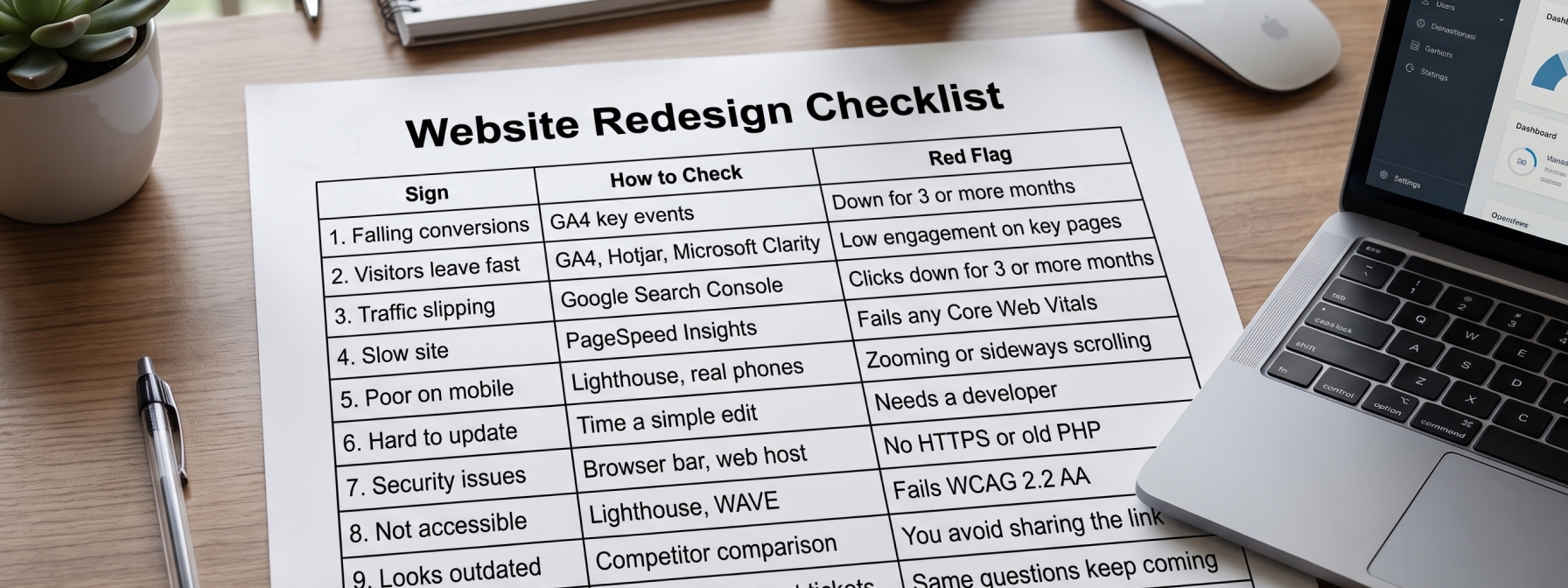
Use this website redesign checklist to score your site. Think of it as a quick website analytics audit you can finish in one afternoon.
| Sign | How to Check | Red Flag |
| 1. Falling conversions | GA4 key events | Down for 3 or more months |
| 2. Visitors leave fast | GA4, Hotjar, Microsoft Clarity | Low engagement on key pages |
| 3. Traffic slipping | Google Search Console | Clicks down for 3 or more months |
| 4. Slow site | PageSpeed Insights | Fails any Core Web Vitals |
| 5. Poor on mobile | Lighthouse, real phones | Zooming or sideways scrolling |
| 6. Hard to update | Time a simple edit | Needs a developer |
| 7. Security issues | Browser bar, web host | No HTTPS or old PHP |
| 8. Not accessible | Lighthouse, WAVE | Fails WCAG 2.2 AA |
| 9. Looks outdated | Competitor comparison | You avoid sharing the link |
| 10. Hard to navigate | Heatmaps, support tickets | Same questions keep coming |
| 11. Off-brand | Homepage review | Old logo, services, or message |
| 12. Not AI-ready | Rich Results Test | No schema, messy headings |
How to score your site:
- 0 to 2 signs: Fix issues one at a time, or do a light refresh.
- 3 or more signs: Plan a full redesign. A full redesign makes sense when three or more signs apply, or when the tech, accessibility, performance, or SEO is poor at its core.
Website Refresh vs. Redesign vs. Rebuild: Which Do You Need?
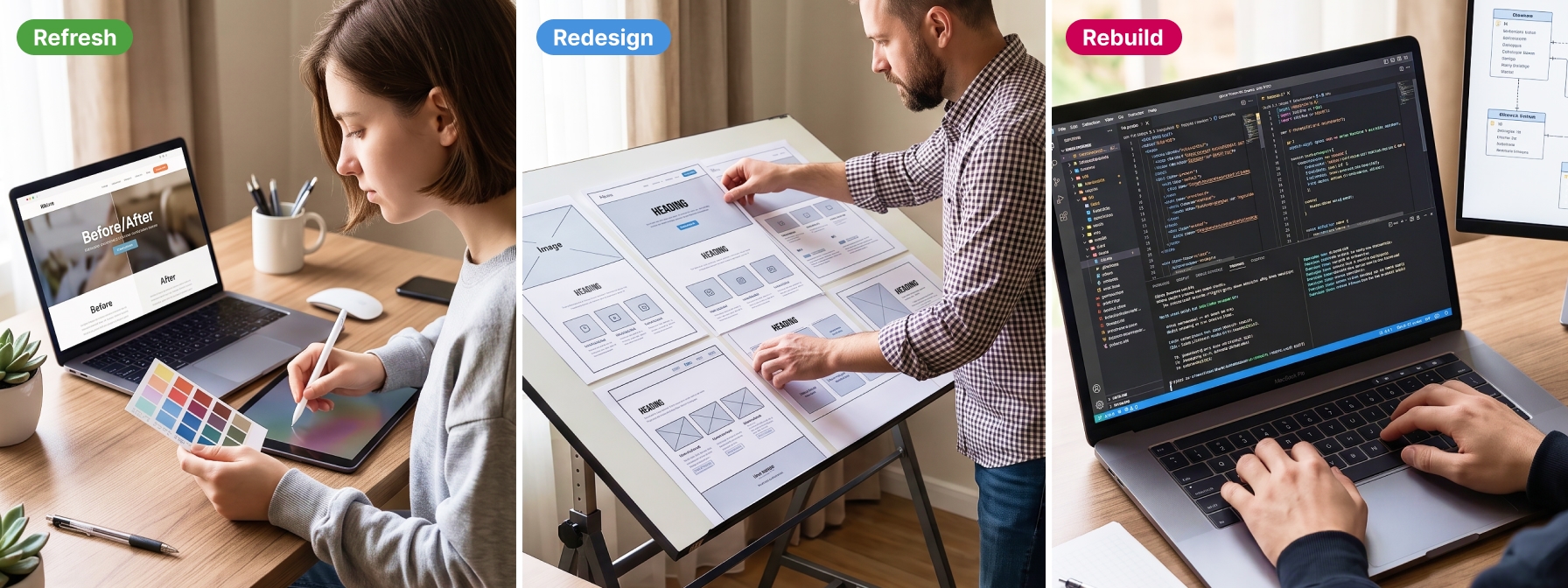
Not every problem needs a full website overhaul. Here is a simple way to choose:
- Refresh: Choose this if your site works well, but the design, images, copy, or buttons feel old. Some people call this a website makeover.
- Redesign: Choose this if the structure, menus, mobile experience, speed, or path to contact you is holding the site back. This is a true website revamp.
- Rebuild: Choose this if your CMS, theme, plugins, or tools limit what your site can do. A rebuild often ends in a full website relaunch.
| Refresh | Redesign | Rebuild | |
| What changes | Colors, fonts, images, copy | Layout, menus, user flow | Platform, code, CMS |
| Cost | Lowest | Medium to high | Highest |
| Time | Days to weeks | Weeks to months | Months |
| SEO risk | Low | Medium | Higher |
A refresh often costs about 20% to 40% of a full redesign. A refresh can take a few days to a few weeks, while a redesign takes several weeks to months.
How Often Should You Redesign a Website?

So, how often should you redesign a website? A common guideline is every two to three years.
But age is not the best guide. As one agency explains, a four-year-old site that converts well may not need a redesign, while a two-year-old site with falling sales may already be late.
The best answer to when to redesign your website is simple: when your data says so. Review your site once a year and make small fixes all year long. Some teams follow HubSpot‘s Growth-Driven Design method, which swaps one big launch for steady, data-based updates. It is a smart way to modernize your website without starting over every few years.
When You Should NOT Redesign Your Website

A redesign costs time and money. Experts say the decision should be based on proof, like falling conversions, rising bounce rates, or poor Core Web Vitals, not on a dated look or a rival’s new site.
Wait or skip a redesign if:
- Your site converts well and passes Core Web Vitals, even if it looks a bit old.
- Your real problem is low traffic, which is a marketing issue, not a design issue.
- Someone on your team is just bored with the look.
- A competitor launched a new site, and you feel pressure to copy them.
How to Redesign Without Losing Your SEO Rankings

A website migration can hurt rankings if you rush it. Follow these steps:
- Record your baseline. Save your current traffic, rankings, and conversions.
- List every URL. Crawl your whole site with Screaming Frog.
- Set up 301 redirects. Map each old URL to its new one with 301 redirects. A 301 redirect tells Google a page has moved for good.
- Keep what works. Carry over your best titles, meta descriptions, and schema markup.
- Move your tracking. Bring your GA4 and Google Tag Manager setup to the new site, and test it before launch.
- Submit your sitemap. Send your new XML sitemap to Google Search Console.
- Watch closely after launch. Check Search Console carefully in the first weeks to protect your rankings and traffic.
How Much Does a Website Redesign Cost and How Long Does It Take?

Costs vary a lot. One agency says redesigns usually cost between $3,000 and $75,000 and take between six weeks and six months.
The main things that affect price are:
- The number of pages on your site
- Custom features and outside tools
- How much content you need to move or rewrite
- Whether you need a new platform
Conclusion: Start With an Audit, Not a Mockup

The signs it’s time to redesign your website are not about taste. They are about results. Slow speed, a weak mobile experience, falling traffic, and fewer sales all cost you money every day.
Start with the checklist above. Pull your data from GA4, Search Console, and PageSpeed Insights. If three or more signs apply, it is time to plan your redesign. If only one or two apply, fix those first and keep measuring.
Not sure where your site stands? [Book a free website audit] and get a clear, simple plan.
Frequently Asked Questions
How do I know if my website is outdated?
Your website is likely outdated if it loads slowly, looks bad on phones, uses old fonts and photos, or lacks HTTPS. Compare it to competitor sites and test it in Google PageSpeed Insights. If it falls short on speed, mobile use, or design, it is time for an update.
How often should a website be redesigned?
Many businesses redesign every two to three years. But performance matters more than age. Review your site each year. Redesign when data shows falling traffic, weak conversions, or failing Core Web Vitals.
Will redesigning my website hurt my SEO?
It can if you skip key steps. To protect rankings, save a list of all URLs, set up 301 redirects, keep your best content and meta tags, and watch Google Search Console after launch. Done right, a redesign can improve your SEO.
Is it better to refresh or redesign a website?
Refresh if your site works well but looks old. Redesign if menus, mobile use, speed, or conversions are the problem. A refresh is faster and cheaper, but it will not fix deep problems.
How long does a website redesign take?
Most redesigns take six weeks to six months. Small sites move faster. Large sites with custom features, lots of content, or a new platform take longer.
How much does a website redesign cost?
A redesign can cost from about $3,000 to $75,000. The price depends on your site’s size, custom features, content work, and the platform you choose.
What is the difference between a website redesign and a rebuild?
A redesign changes how your site looks and works, such as the layout and menus. A rebuild replaces the technology underneath, such as the CMS, theme, or code. Many projects include both.